Get Clear Sites
-
Basics
If you're just getting started with your Get Clear Site, the company website has some great references:


Website Analytics
To update the Page Meta Title & Description
Click on the pencil icon at the top left corner of the page.

Select “Page SEO Settings"
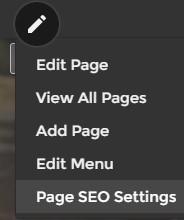
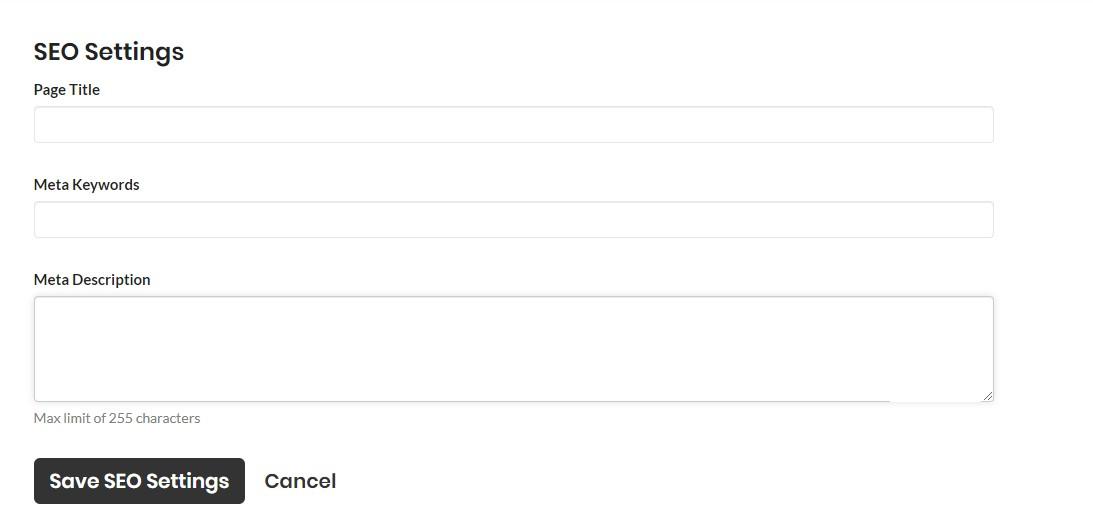
Here you’ll have the ability to enter in SEO Meta information.
Page Title – This is where you enter the page title as you would like search engines. Google typically displays the first 50–60 characters of a title tag. If you keep your titles under 60 characters, our research suggests that you can expect about 90% of your titles to display properly. There's no exact character limit, because characters can vary in width and Google's display titles max out (currently) at 600 pixels.
Meta Keywords – You can skip this. It does not hold any value like it used to 5 years ago.
Meta Description - This should describe the content of the page and include your main keyword for your page. The Page title length should be
Meta descriptions can be any length, but Google generally truncates snippets to ~155–160 characters. It's best to keep meta descriptions long enough that they're sufficiently descriptive, so we recommend descriptions between 50–160 characters. Keep in mind that the "optimal" length will vary depending on the situation, and your primary goal should be to provide value and drive clicks.
Then click Save SEO Settings. You need to do this on every page and blog post.
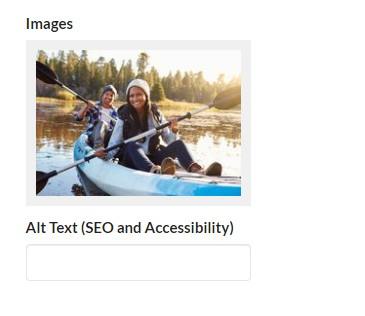
Add image description tag
Click on the image icon and add the alt text. (not available with every image)
You can also access your complete image library, by visiting yourwebsite.com/images.